
If you work for more than one company, your laptop could only be signed in to one of them at a time. Moving to another client's repository meant selan login and a trip through the browser, and moving back meant doing it all again.
Forgetting to switch was worse. A session started under the wrong sign-in spends that company's budget and shows up in its usage, and nothing on screen tells you until someone asks.
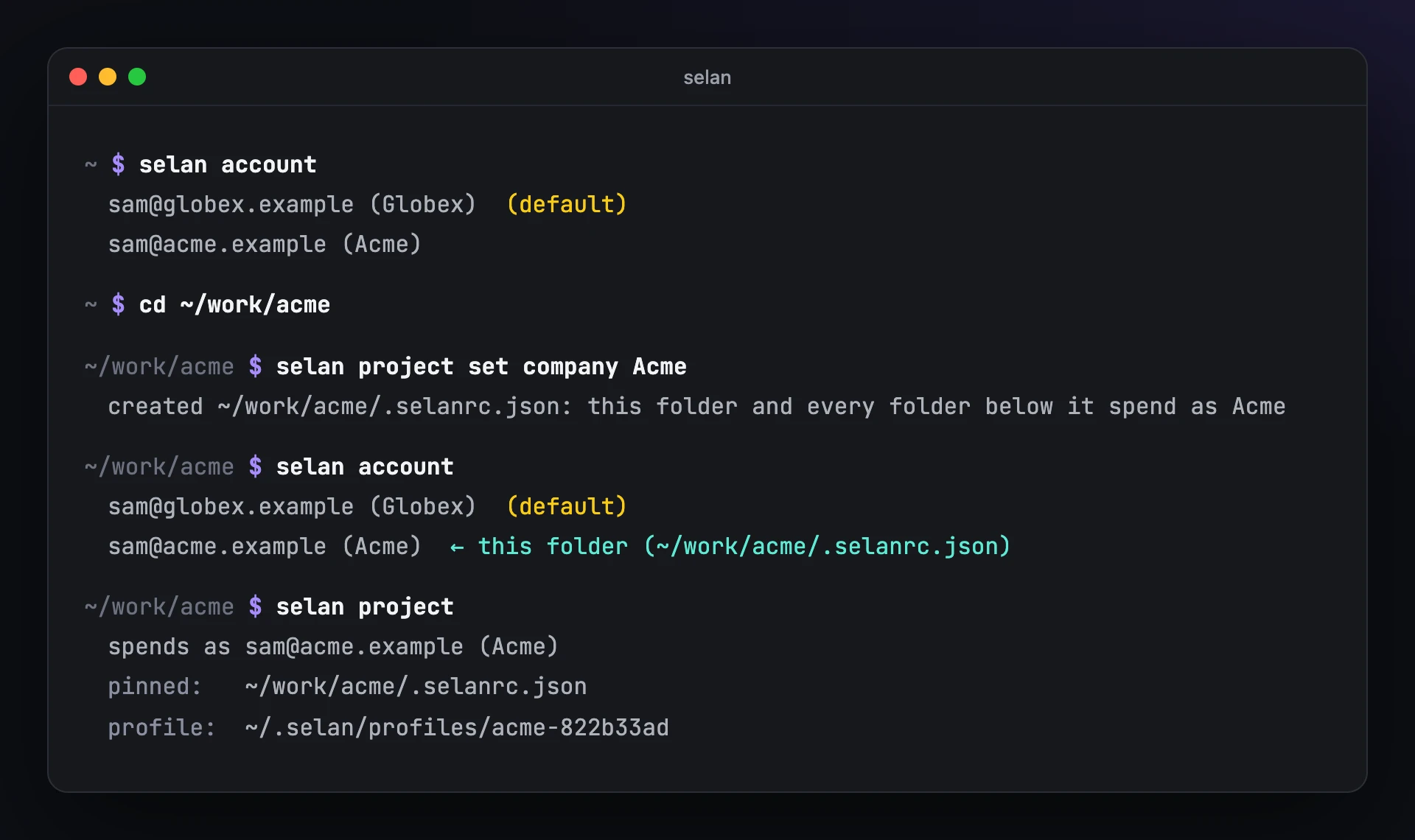
Selan 1.21 keeps a session for every company you sign in to, and lets each folder say which one it belongs to.
Sign in once per company
selan login                # Acme, picked in the browser
selan login                # Globex: the new default, Acme kept
selan account              # both, and which one is the default
selan account use Acme     # make Acme the default again
The latest selan login becomes the default, and the session it replaces is kept rather than signed out. Only selan login and selan account use change the default.
Pin a folder to a company
cd ~/work/acme
selan project set company Acme
That writes the company into ~/work/acme/.selanrc.json, and it covers every folder and repository below it:
{
  "account": "Acme"
}
Pin a parent folder like this rather than a repository while teammates may run an older selan: it refuses the field in a repository's committed .selanrc.json.
From then on, selan claude, selan codex and selan agent-run anywhere under ~/work/acme spend as Acme, and everywhere else as your default. selan project tells you which company a launch from where you are would use and which file decided it.
It asks instead of guessing
If a folder is pinned to a company you are not signed in to, the launch stops and asks:
This folder is pinned to Acme (~/work/acme/.selanrc.json), and you're not signed in to it.
  [l] sign in to Acme   [c] continue as sam@globex.example (Globex)   [q] quit
Nothing is remembered, so the next launch asks again. A script or an agent-run has nobody to ask, so it refuses instead of spending as another company.
Each company gets its own Claude Code
The company you were already using ~/.claude with keeps it. Every other company gets a profile of its own under ~/.selan/profiles/, so the MCP servers you add, and their sign-ins, stay with the company they belong to.
Two things are shared. Every profile reads your own ~/.claude/CLAUDE.md, and Claude's memory of a repository is the same for every company, so what it learns in one company's session is there in the next one's. That holds for any repository whose path is plain ASCII. A new profile starts empty, so each company's first launch shows Claude Code's onboarding once.
Get it
selan updateThe session already on your machine becomes your default, and an older selan on the same machine keeps working with it.