
Claude can read your repository, but most of what tells you whether your code works lives somewhere else. Whether Google indexed the page you shipped is in Search Console. The flag that switched a feature off is in Firebase Remote Config. The DNS record is at Cloudflare or Hostinger. So you open the tab, copy what you find and paste it into the chat. An agent running on its own has nobody to do that for it.
Why it matters
An agent that cannot see a system guesses about it. Ask it why a page gets no search traffic and it reasons from the code, when the answer may be one line in URL Inspection saying Google crawled the page and did not index it. And the usual way to let an agent reach GitHub, a personal access token in an environment variable, puts a GitHub token on every machine the agent runs on.
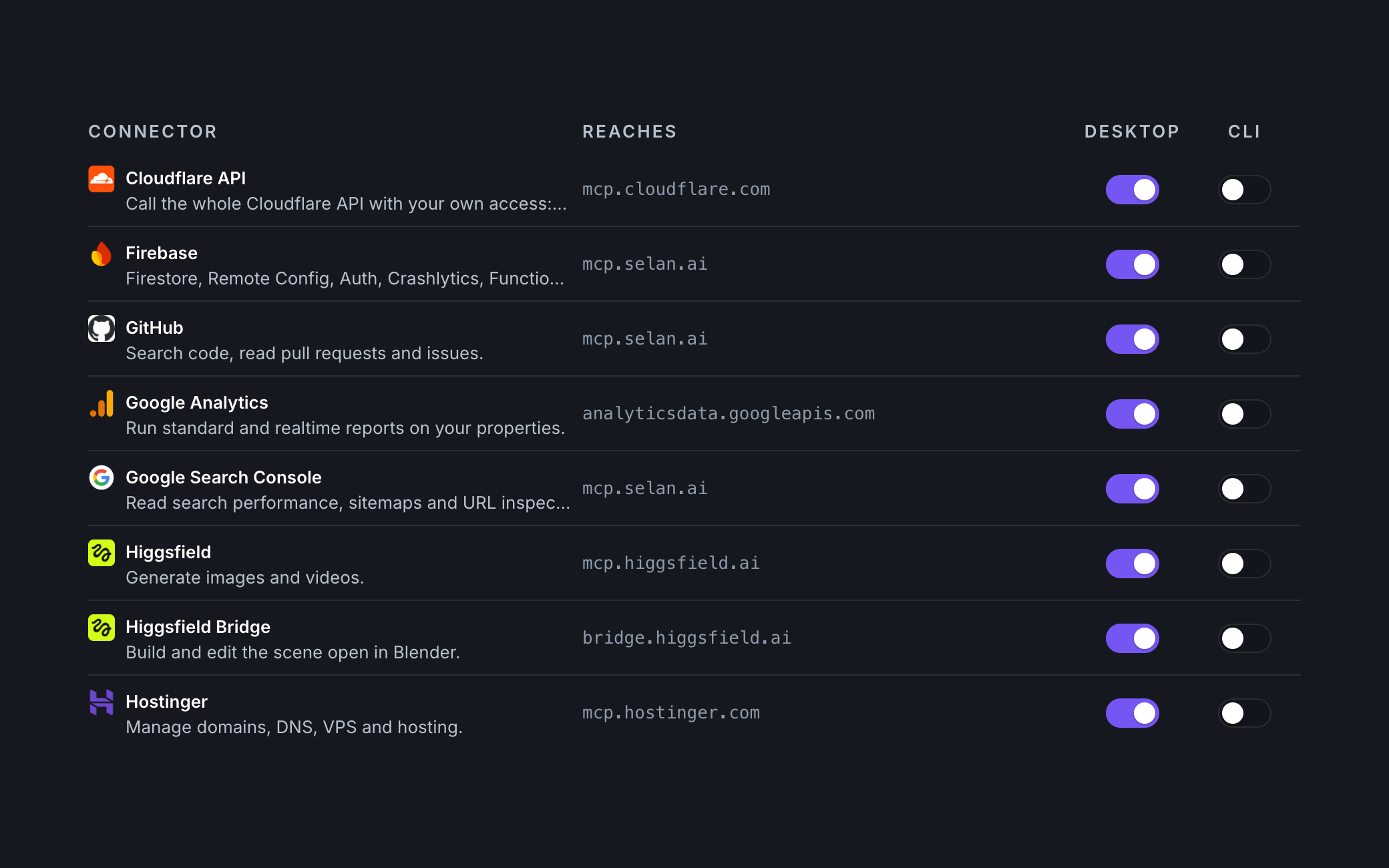
In the past week Selan added connectors for these systems and rebuilt its GitHub one. Each works in Claude Desktop and Claude Code.
GitHub, with no GitHub token on the machine
GitHub now connects through Selan, and a company no longer creates a GitHub OAuth app for it. You sign in to Selan, approve Selan's GitHub app on GitHub, and the token GitHub issues stays sealed in Selan. It never reaches your laptop, the machine a remote agent runs on, a tool's answer or a log. GitHub's own hosted MCP server takes the token from the client instead, so the token would sit on whatever machine the agent runs on.
The tools call GitHub's API as you, so your GitHub permissions decide what a write may do. Claude can open, review, comment on and merge pull requests, and a merge goes through only while the branch is still at the commit Claude read. It can file and update issues, publish a release for a tag it has pushed, and follow CI: wait for a workflow run to finish, read the end of a failed job's log and run it again.
When it cannot push to a repository, it forks it, pushes a branch to the fork and opens a pull request on the original. A Reactor run clones and pushes over git through Selan as well, so a remote agent works on GitHub after one Connect, with no key pasted anywhere.
Firebase, all of it
Firebase's MCP server ships inside firebase-tools, and Google does not host it, so using it meant running it on your own machine, signed in to Firebase. Selan now runs it for you, once per session, with your own Google token as its only credential. The process ends with the session, and Selan keeps no token.
That gives Claude 38 Firebase tools. It can read and write Firestore documents, read and publish Remote Config, look up and update Auth users, send a Cloud Messaging message, read Functions and App Hosting logs, and read Crashlytics issues and reports. What it can change is what your Google roles allow. Deploys, project creation and sign-in are left out, because they act on a laptop's files or a whole account.
Search Console, with sitemaps and URL Inspection
Google's Search Console MCP server has no sitemaps and no URL Inspection, and those are what you need when a page goes missing from search. So Selan wrote its own, with four tools that only read:
- the properties you can read;
- search performance: clicks, impressions, click-through rate and average position, by query, page, country, device or date;
- your sitemaps, with when Google last read each one and its warnings and errors;
- URL Inspection: whether Google indexed a URL and why not, its last crawl, its canonical, and mobile and rich result issues.
Ask Claude why a page gets no traffic and it can check Google's index before it reads your code.
Google Analytics
These are Google's own two Analytics MCP servers. Google Analytics runs standard and realtime reports, and Google Analytics Admin finds the accounts and properties those reports take. Both only read.
Cloudflare, Hostinger and Higgsfield
These register themselves with Selan, so an owner has no OAuth app to create: switch one on, and each developer signs in as themselves.
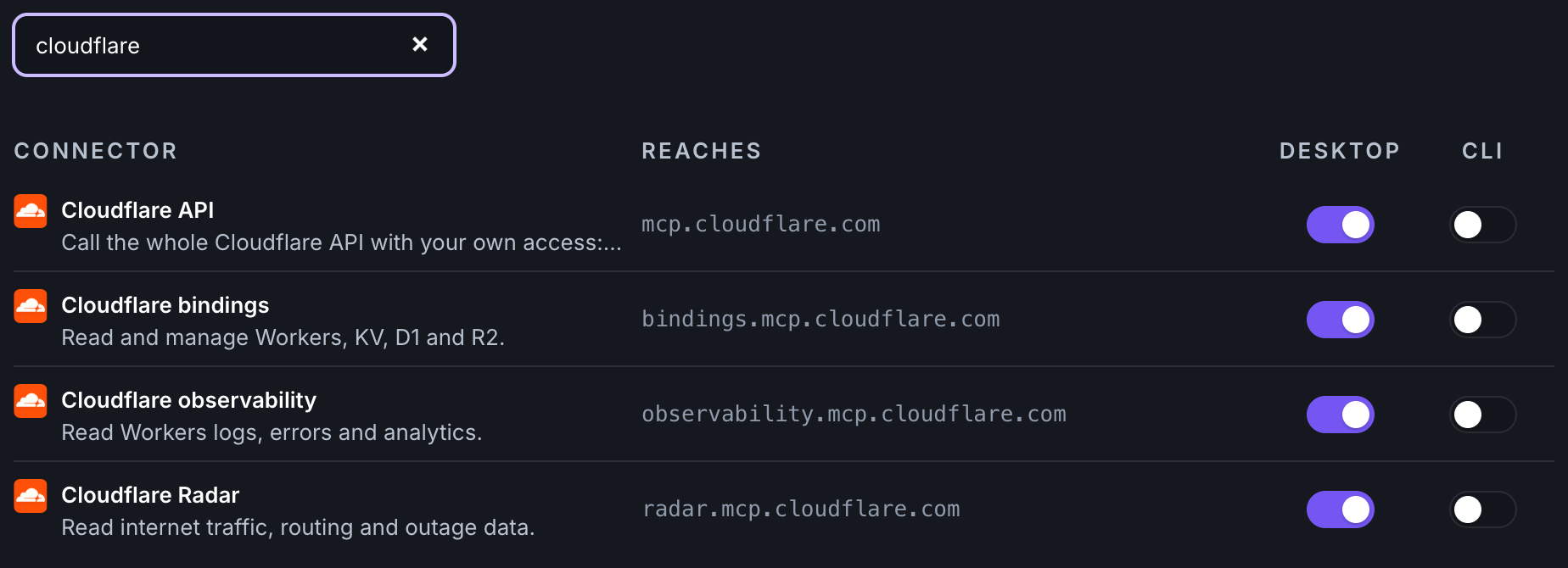
Cloudflare API is Cloudflare's own server for the whole Cloudflare API, with your own access: DNS, Workers, R2 and Zero Trust. It joins the Cloudflare observability, bindings and Radar servers already in the catalog.
Hostinger manages domains, DNS, VPS and hosting. Higgsfield generates images and videos. Higgsfield Bridge builds and edits the scene open in your own Blender, through Higgsfield's add-on, so it does nothing until Blender is open.
Setting them up
An owner switches each connector on under Connections in Selan. GitHub, Cloudflare, Hostinger and Higgsfield need nothing more. Firebase, Search Console and Analytics sign in through an OAuth client your company creates, internal to its own Google organisation, and Connections lists every step with the commands to copy. The first enables the APIs these three call:
gcloud services enable \
  firebase.googleapis.com firebaseremoteconfig.googleapis.com \
  firestore.googleapis.com identitytoolkit.googleapis.com \
  fcm.googleapis.com firebasecrashlytics.googleapis.com \
  cloudfunctions.googleapis.com \
  analyticsdata.googleapis.com analyticsadmin.googleapis.com \
  searchconsole.googleapis.com \
  --project PROJECT_ID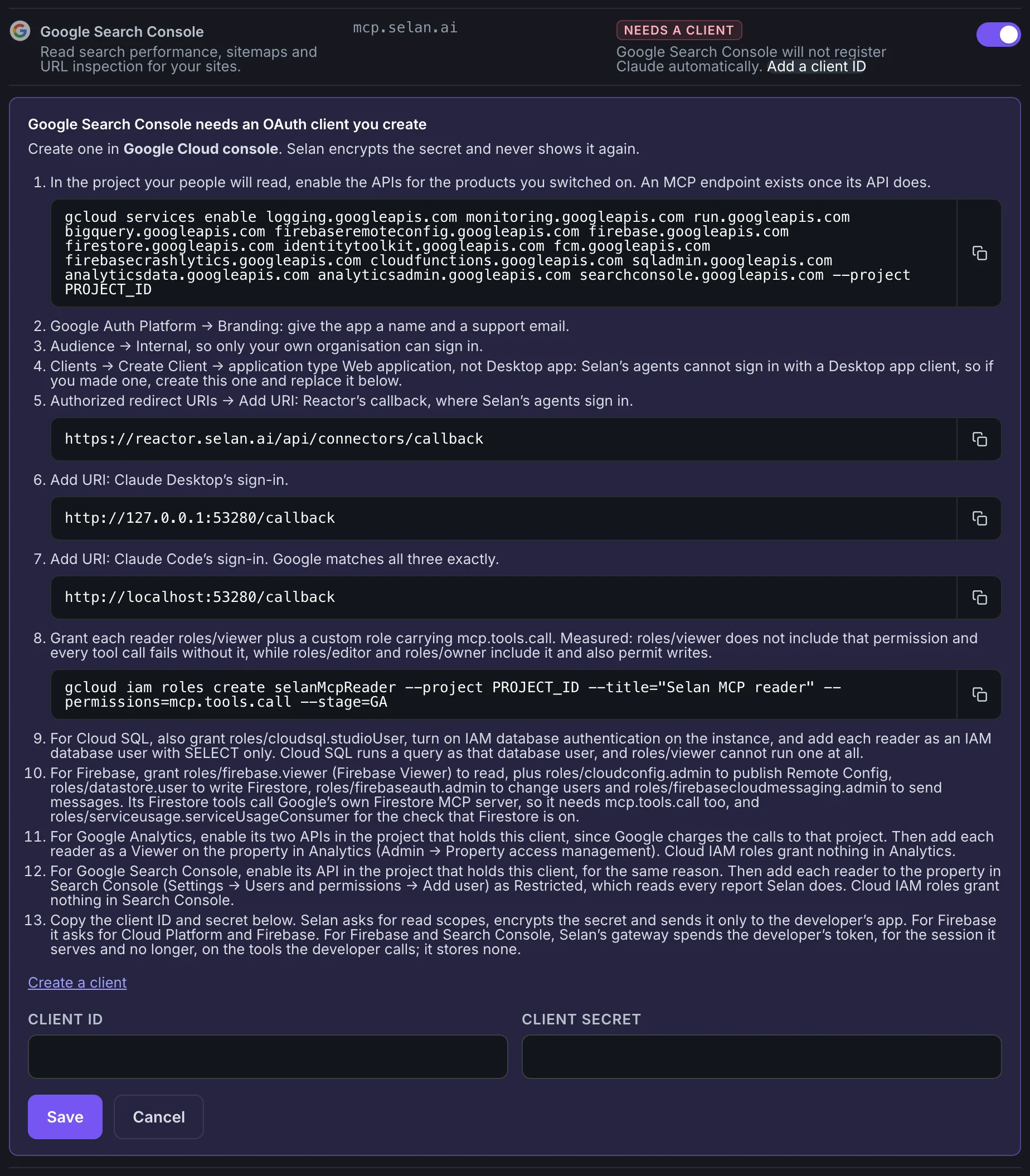
Each product keeps its own access list. Firebase reads with the Firebase Viewer role and needs more roles to write. Analytics and Search Console ignore Cloud IAM, so you add each reader on the property itself: as a Viewer in Analytics, and as a Restricted user in Search Console. A Reactor agent reaches Firebase and Search Console as its own Google Cloud service account, which you grant in the same places.
Each developer then turns a connector on for Claude Desktop, the CLI or both on their own Connections page, and signs in the first time they use it. Google sign-ins last past the hour. The connectors docs have the details for each one.