
When a Reactor agent signs in to GitLab or Jira, it signs in as somebody, and until now that was whoever pressed Connect. A team's shared agents all acted as one colleague's account.
That breaks in two ways: the agents' work goes out under one person's name, and the agents stop working when that person leaves, or when their sign-in lapses and they are not around to sign in again. Teams wanted their agents to act as an account made for the job, such as a service account.
Reactor workspaces can now share a connection: one sign-in, made once by an owner of the workspace, that its agents can choose to act as.
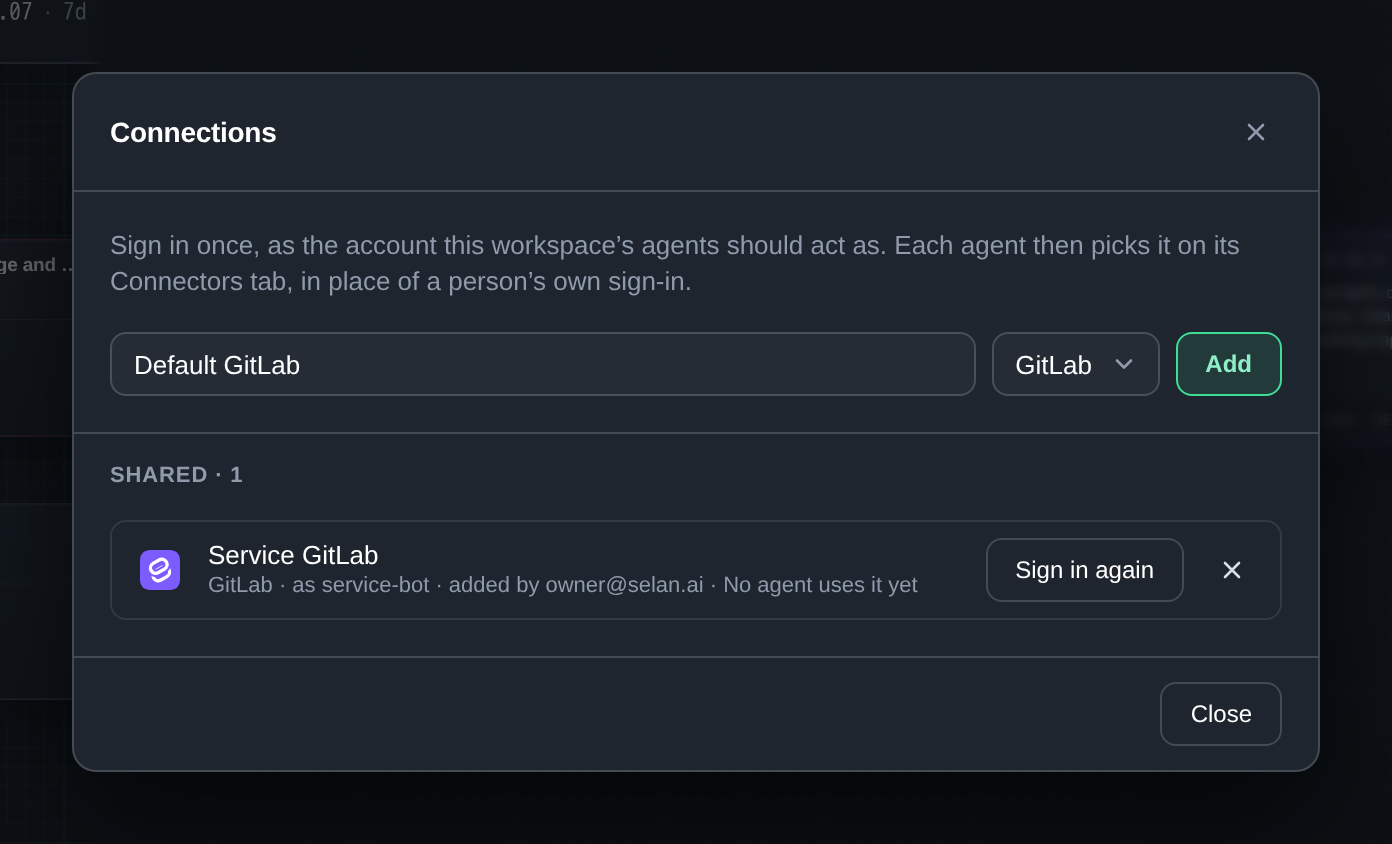
Share an account with a workspace
An owner of the workspace opens the workspace menu and picks Connections, next to Access. They choose a connector, name the connection and sign in once, as the account the workspace's agents should act as. Each row says which connector it is, the account it signed in as where the provider names one, who added it and how many agents use it.
Owners can Sign in again or remove a connection. Everyone else in the workspace sees the list, with a note that only an owner of the workspace adds or changes these.
Pick it for an agent
Where the workspace shares a connection for that connector, Connect on an agent's Connectors tab now opens a menu. Connections shared in this workspace come first, and below them is the personal option, Sign in as yourself, which signs in only this agent, as you.
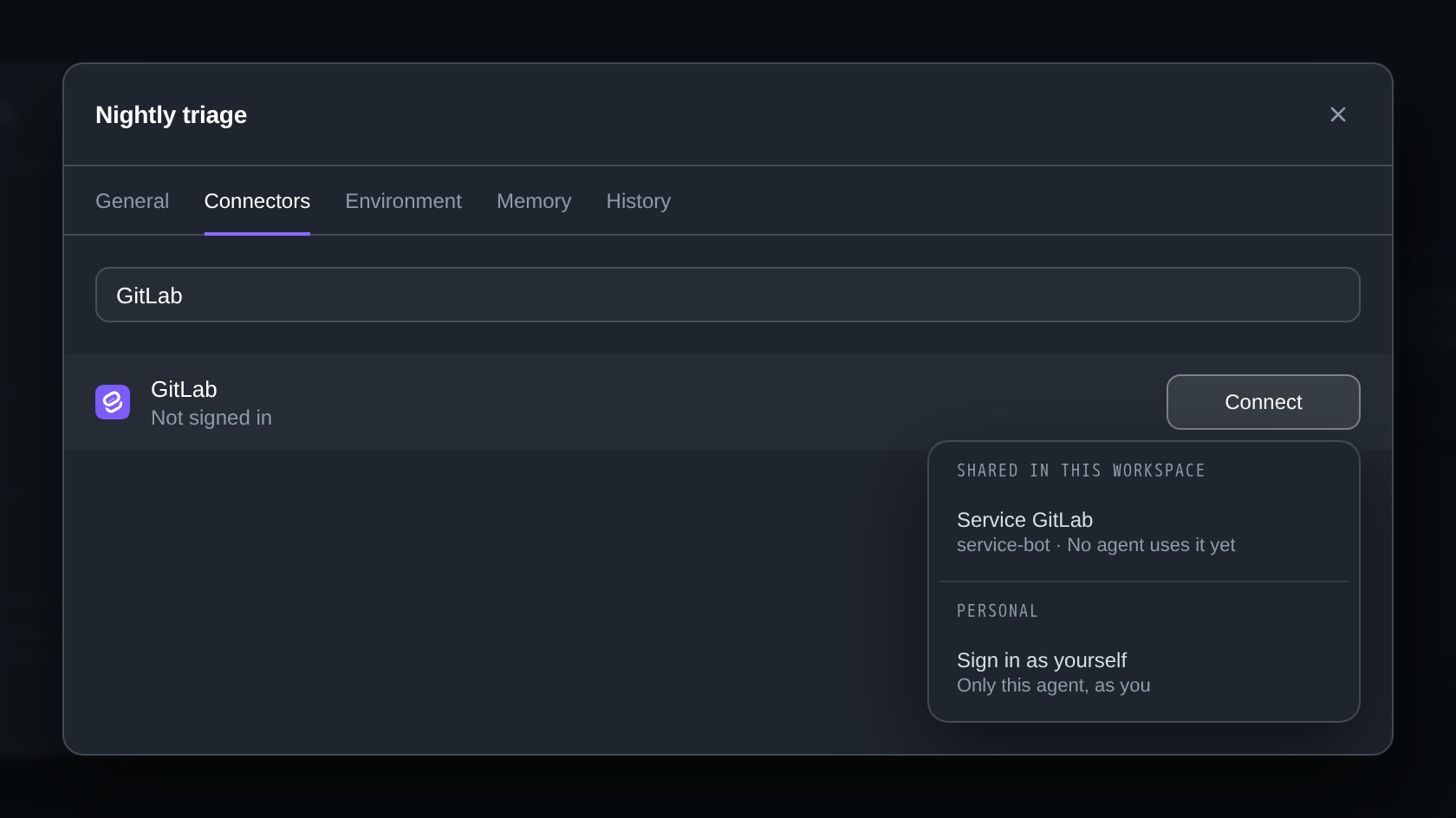
Once you pick a shared connection, the row reads Service GitLab · shared and its button becomes Change. People who can edit agents in the workspace make that choice; readers can see it but not change it.
Who gets a shared connection
A shared connection belongs to one workspace. Reactor never gives it to an agent nobody picked it for, and never to every agent in the company. An agent moved to another workspace leaves it behind.
Picking a shared connection replaces the agent's own sign-in to that connector. Signing in as yourself detaches it again, and Disconnect lets go of it while the connection stays for the other agents.
When a sign-in expires
If a shared sign-in expires, or an owner removes it, runs no longer receive it. They go without that connector rather than falling back on someone's own sign-in, and the agents using it show that the sign-in expired. One Sign in again from an owner puts it back for every agent at once.
Many runs can renew the same token at the same time. One renewal wins and the others take its token, so a provider whose refresh tokens work only once does not lock the agents out.
Only connectors you sign in to can be shared. Google Cloud connectors, Postgres and the connectors a run reaches as itself, such as Selan, keep their own setup per agent. The docs cover the details.