 selan.ai
Unify
One company setup for every AI model.
Add the accounts you already pay for once. Everybody signs in as themselves and works with the models you allow, in the tools they already use.
Start for freeWhat Selan is, in one go. Your company already pays for several AI accounts and models. Selan puts them in one setup, shows what each person spends, lets you set limits, and removes secrets it recognises before a request is sent.
This page is about the setup.
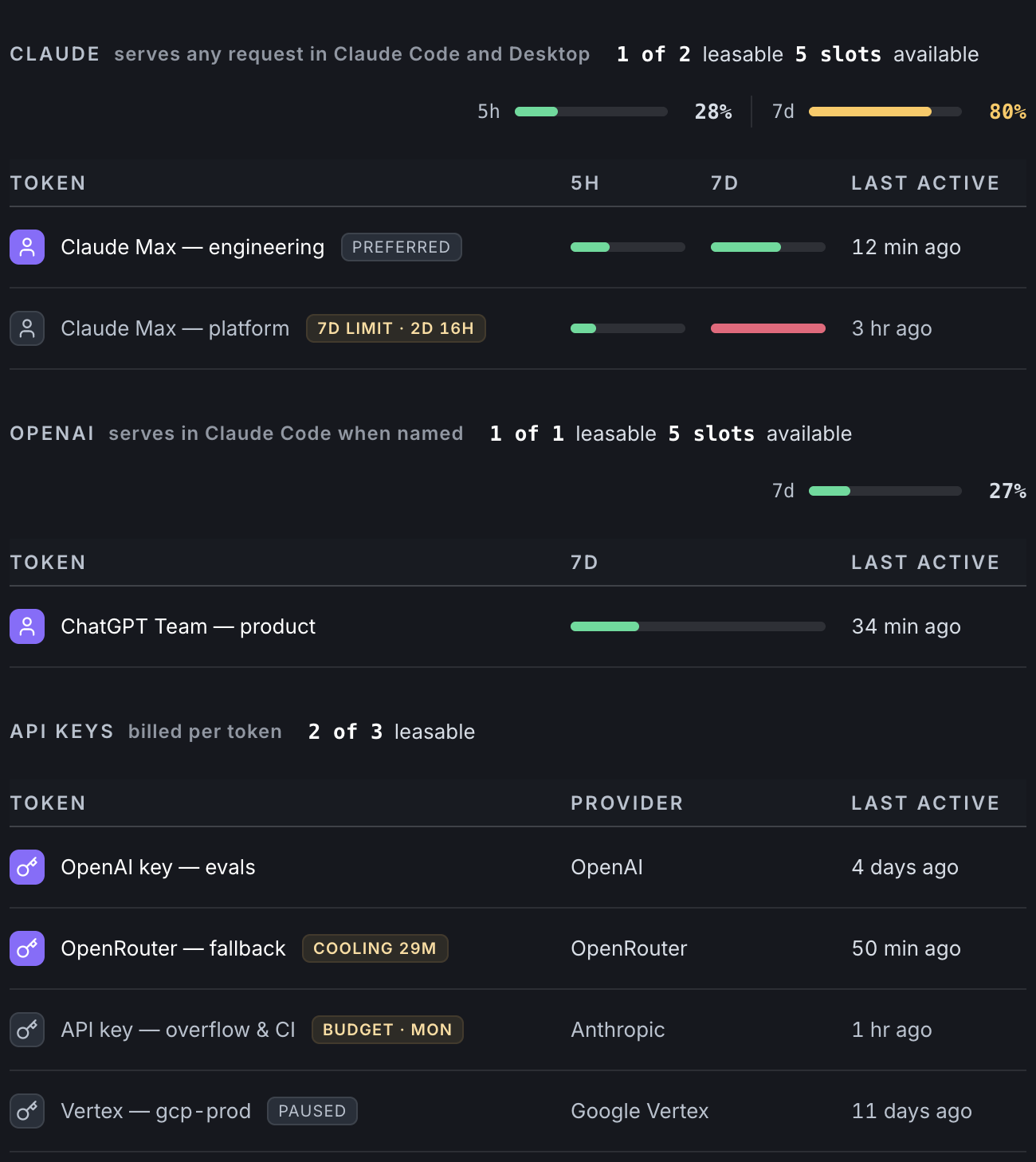
Connect the accounts you already pay for.
Subscriptions and pay-per-use keys go into the same list. They stay your accounts: you added them, you can take them back out, and the provider keeps billing you directly.
- Anthropic, OpenAI, Google Vertex, OpenRouter, nexos.ai, and a model you host yourself.
- Selan spends the seats you have already bought first, and only falls through to a key billed per token when they are busy.
- Every account says when it last answered a request, so one that has gone quiet says for how long.
One sign-in per person.
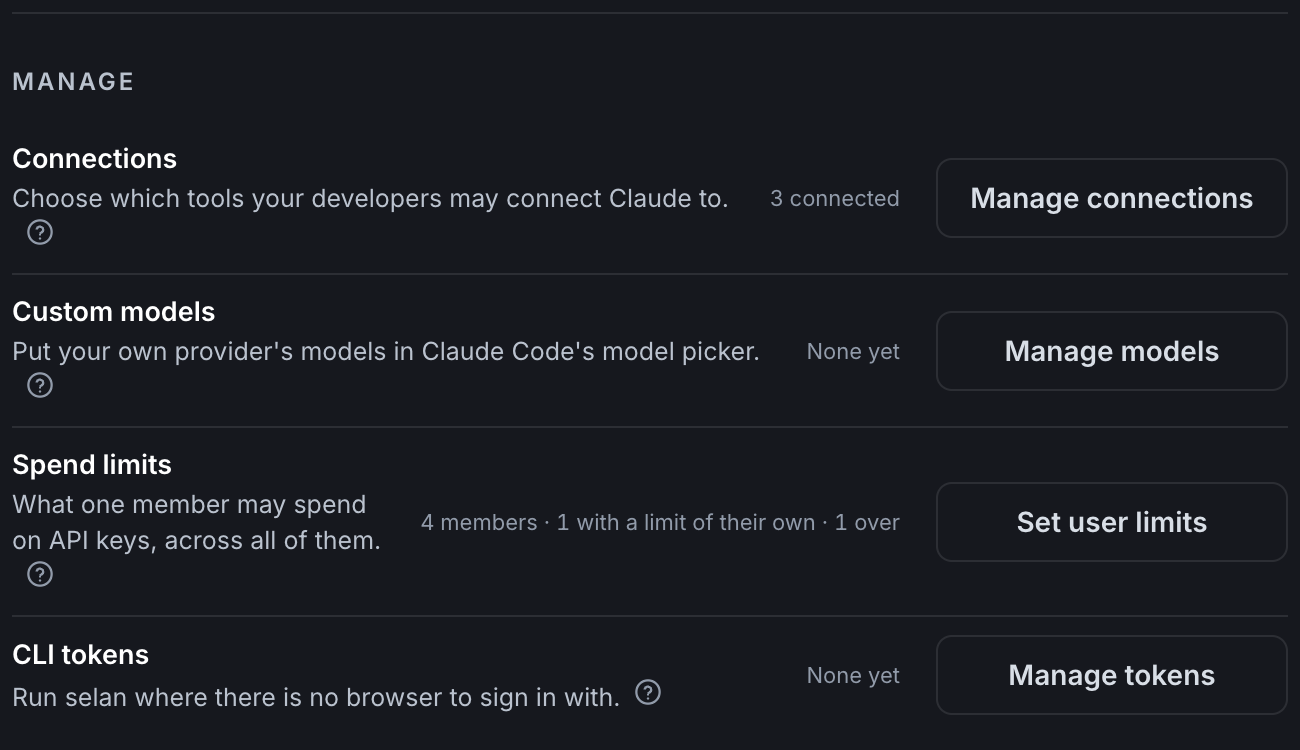
Nobody gets a copy of a company key. A person signs in with Google or Microsoft, and what lands on their laptop is one Selan pass that you can take away again.
- No provider key on any laptop. There is nothing there to leak or to collect back when somebody leaves. How Claude Code and Codex run without one.
- Take the pass away and that machine is out, without touching anybody else.
- Tools your team connects, like GitHub or Jira, stay theirs: each person signs in to those themselves, so their own permissions apply.
People pick from the models you enable.
The models you switch on appear in the same picker your team already uses. No new app to learn, and nothing to configure on each machine.
- You always get the model you asked for. Selan never quietly swaps it for a cheaper one.
- Try a new model by switching it on once, for everybody, instead of on every laptop.
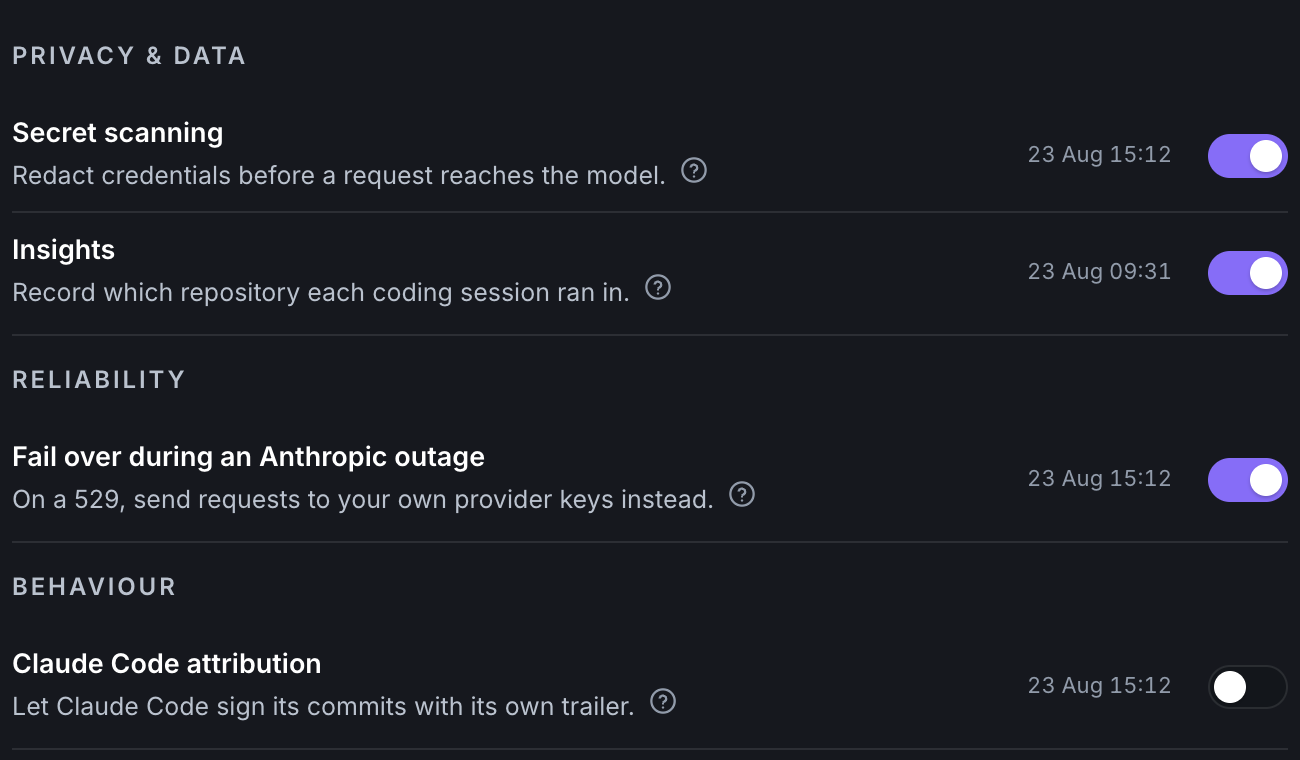
- If a provider has an outage, work can carry on through your other accounts. That is a switch an owner turns on, and every request that took the detour is marked in the log.
How it works
- You connect your accounts once, and choose which models the company may use.
- Each person signs in with Google or Microsoft. One pass, no keys handed out.
- They pick a model from the ones you enabled, in the tools they already work in.
What to know
- Selan does not sell you AI and does not own your accounts. You bring them, and your providers keep billing you directly at their prices.
- New settings arrive switched off. Nothing is enabled for your company until somebody there decides to enable it.
- Requests travel through Selan on their way to the provider, so if Selan is unavailable those requests fail. Your accounts can still be used directly, which is one reason we never take them from you.
- Leaving is dropping one word from a command. See the docs for exactly what your team types.
The other three
Know what your team spends on AI
Every request costed with a person's name on it, and a limit you can set before the number grows.
ProtectStop secrets before they reach a provider
With scanning on, a key found in a request is replaced before that request is sent.
InsightsKnow where your team's AI time goes
Which repository the hours went to, who was in it, and how much of the context came back out of the cache.
Bring the accounts you already have.
Connect the providers your team already pays for and route them all from one place. Free for up to three seats, and the Free plan needs no card.
Start for free