 selan.ai
Govern
Know what your team spends on AI.
One bill for AI does not tell you who spent it. Selan records what every Claude Code, Codex and Claude Desktop request costs, with a person's name on it, and lets you set a spending limit per developer before the number grows.
Start for freeWhat Selan is, in one go. Your company already pays for several AI accounts and models. Selan puts them in one setup, shows what each person spends, lets you set limits, and removes secrets it recognises before a request is sent.
This page is about the money.
Every request has a name on it.
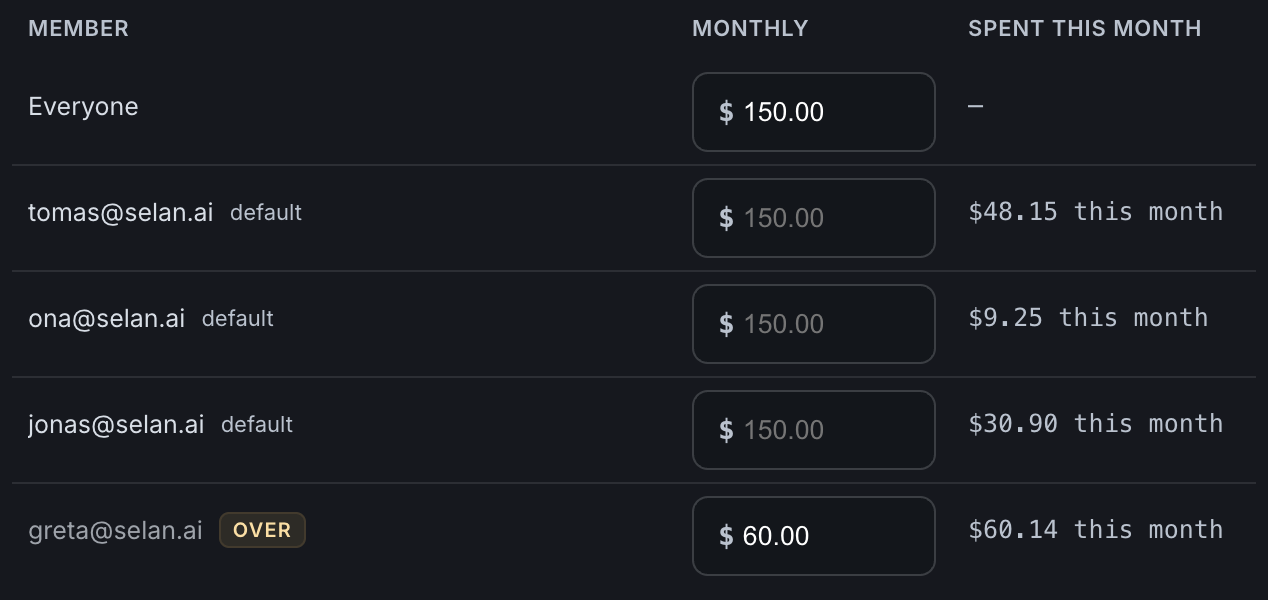
Not one invoice at the end of the month. Every call is recorded with who ran it, which account served it, which model answered, and what it cost.
- Read it by person, by model or by account. The same week, three ways.
- Tracking it without a gateway? How to see Claude Code usage per developer compares the manual ways.
- A build job spends as itself. Your nightly run shows up on the bill as your nightly run, not as the person who set it up.
- When a call cannot be priced, it says so. An unknown cost is never shown as a zero.
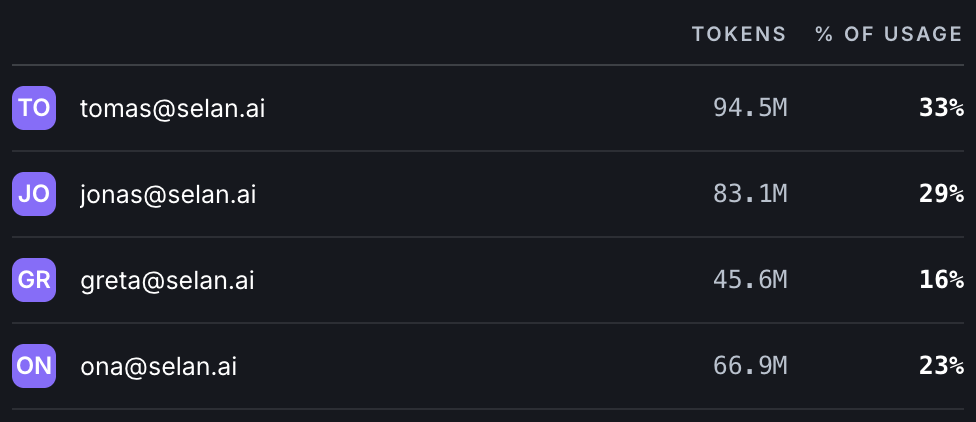
Seats and pay-per-use keys, side by side.
A monthly seat and a key billed per token are two different kinds of money. Selan prices the seat as what the same traffic would have cost per token, so you can finally compare the two.
- One number for whether the seats you pay for are earning their keep.
- Every account you brought in one view, subscriptions beside keys.
- Your providers still bill you directly, on your own accounts, at their prices. That money never passes through us.
- Deciding between the two? Is a Claude Max plan cheaper than the API works out the break-even in tokens.
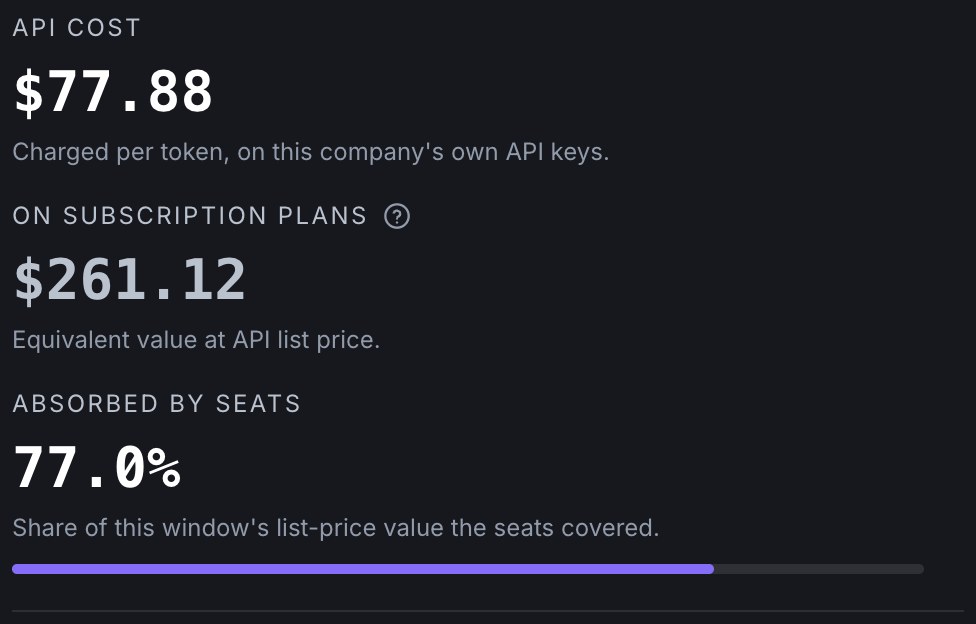
Set a limit per person.
One limit for everybody, and an exception where somebody needs one. The limit sits on the person and follows them across every pay-per-use key you have added, so it cannot be walked around by using a different account.
- By day, week or month. A blank field means the person inherits the company limit.
- The table shows what each person has spent against their limit, and flags anyone over it.
- Every switch and limit records who changed it and when.
- Money is the owner's view. Engineers can run the accounts without seeing anybody else's numbers.
How it works
- You connect the accounts your company already pays for. Nothing is bought, and nothing moves.
- Your team works as usual. Same tools, same commands, one extra word in front of them.
- You read the cost and set the limits in one place, for the company and for each person.
Questions about Claude Code spend
How do I set a spending limit per developer for Claude Code?
selan claude, then set a limit per person in Selan for a day, a week or a month. A person whose field is blank inherits the company limit, so you set one default for the team and an exception only for whoever needs one.How do we control Claude Code spend across a team of 40 developers?
Claude Max seats or pay-per-token API keys: which costs our team less?
Can a developer get around a limit by switching to another API key?
When does a spending limit reset?
Can a developer see their own budget while they work?
selan usage shows the same numbers without launching Claude Code.What to know
- A Selan limit stops pay-per-use spending, the kind billed per token. Subscription seats are not billed that way, so their real ceiling is the provider's own usage window, not a cap set here.
- When somebody reaches their limit, the next request is refused with a plain answer: what stopped it, and when it lifts. The request already running is not killed.
- Selan never bills you for what your team uses. Your providers do, directly, on your own accounts.
- Recording which repository a session belonged to is a separate switch, and it is off until an owner turns it on.
The other three
One company setup for every AI model
Connect the accounts you already pay for, give each person one sign-in, and decide which models they can reach.
ProtectStop secrets before they reach a provider
With scanning on, a key found in a request is replaced before that request is sent.
InsightsKnow where your team's AI time goes
Which repository the hours went to, who was in it, and how much of the context came back out of the cache.
See it against your own accounts.
Connect an account and the first requests come back with names and costs on them. Free for up to three seats, and the Free plan needs no card.
Start for free