
If you write code in IntelliJ IDEA, GoLand or Android Studio, you probably start Claude Code from the IDE. Anthropic's Claude Code plugin puts a button in the toolbar, opens a terminal, and shows Claude's edits as diffs in the editor you already have open.
That button runs a bare claude. It signs in as you, not as your company, so the session never reaches Selan. Your company's spend limits, connectors and secret scanning don't apply, and the usage isn't counted to you. You could change the plugin's command by hand, but that means a settings page in every IDE, and most people never get round to it.
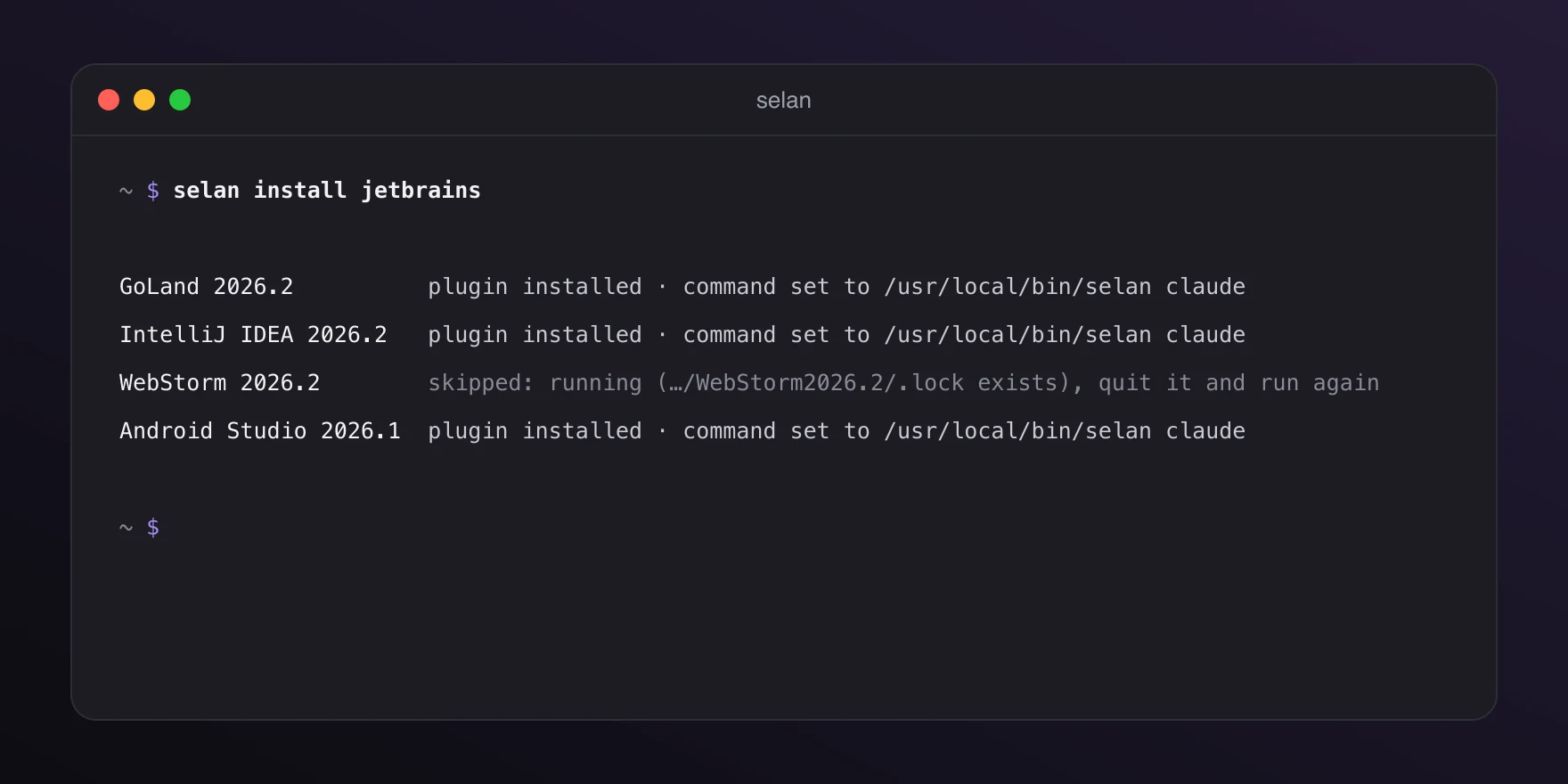
From Selan 1.26.0, one command changes it in every IDE on your machine.
Set it up
Quit your IDEs, then run:
selan install jetbrainsIt finds every JetBrains IDE you have opened at least once and takes the newest version of each. In each one it installs Anthropic's Claude Code [Beta] plugin from the JetBrains Marketplace, unless the IDE already has it, and sets the plugin's Claude command to selan claude, using the full path to your selan. Open the IDE as usual afterwards, and the plugin's button starts Claude Code through Selan.
A session started from the IDE is now the same as one started with selan claude in a terminal. It uses your company's models, spend limits and connectors, and the usage is counted to you. The plugin keeps working as before: diffs open in the editor, and Claude sees your selection and the IDE's diagnostics.
The command sets selan claude and never seland, so Claude Code's permission prompts stay on for anything started from the IDE.
When an IDE is skipped
A running IDE writes its settings back when it quits, which would undo the change, so the command skips it, names the .lock file that says it is running, and tells you to quit it and run the command again. If the IDE crashed, that file can be left behind: delete it. If you have set the plugin's command yourself, to a WSL wrapper for example, it leaves that alone and names it. selan install jetbrains --force replaces it.
Running the command a second time is safe. An IDE that is already set up says so and stays as it is.
Several companies
If a folder is pinned to another company, a session started there runs in that company's Claude Code profile. The IDE connection follows it into that profile, so diffs and selections still work in a repository that belongs to a client.
Undo it
selan uninstall jetbrainsThis puts the command back to claude wherever Selan set it. The plugin stays installed, because it works without Selan as well.
One thing this does not cover: JetBrains AI Assistant has its own Claude agent, billed through JetBrains, which can't be routed through Selan. Only sessions from the Claude Code plugin run on your company's accounts. The full page is at JetBrains IDEs.