
If you pay for Kimi Code, you may well have two Kimi accounts: the kimi.ai account you chat with, and the one your Kimi Code membership is on. Both can sign in on the same Kimi page, so it's easy to pick the wrong one.
Sign in with the chat account and nothing stops you. Kimi hands over a token and lists its models, then refuses every request, because that account has no Kimi Code subscription. The error you got back told you to reconnect the key, so the natural next step was to sign in again, and it was just as easy to pick the same account a second time.
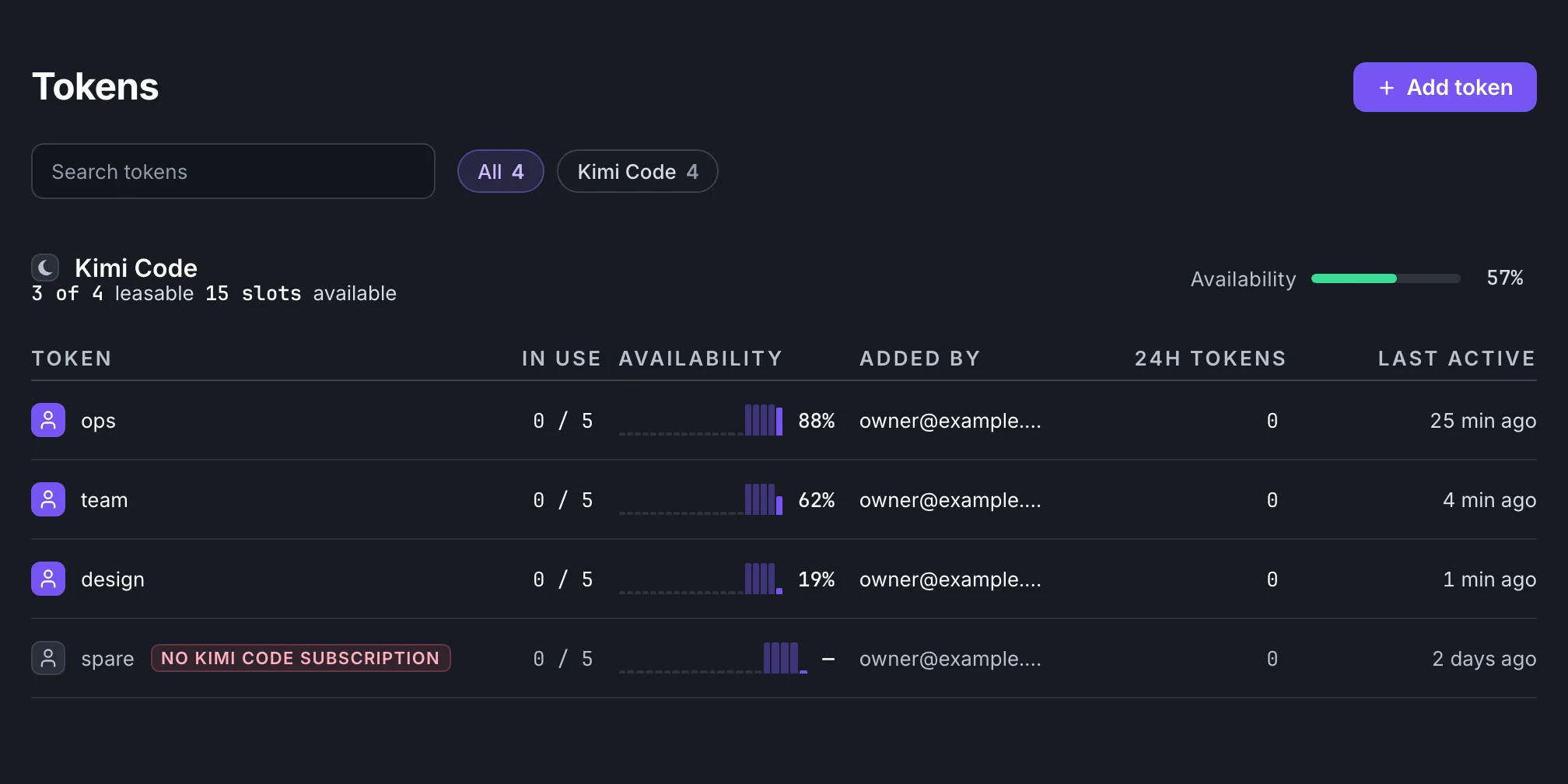
Selan now connects a Kimi Code membership to Claude Code. It checks that the account you signed in with has Kimi Code when you add it, and keeps checking for as long as it stays connected.
Connect a membership
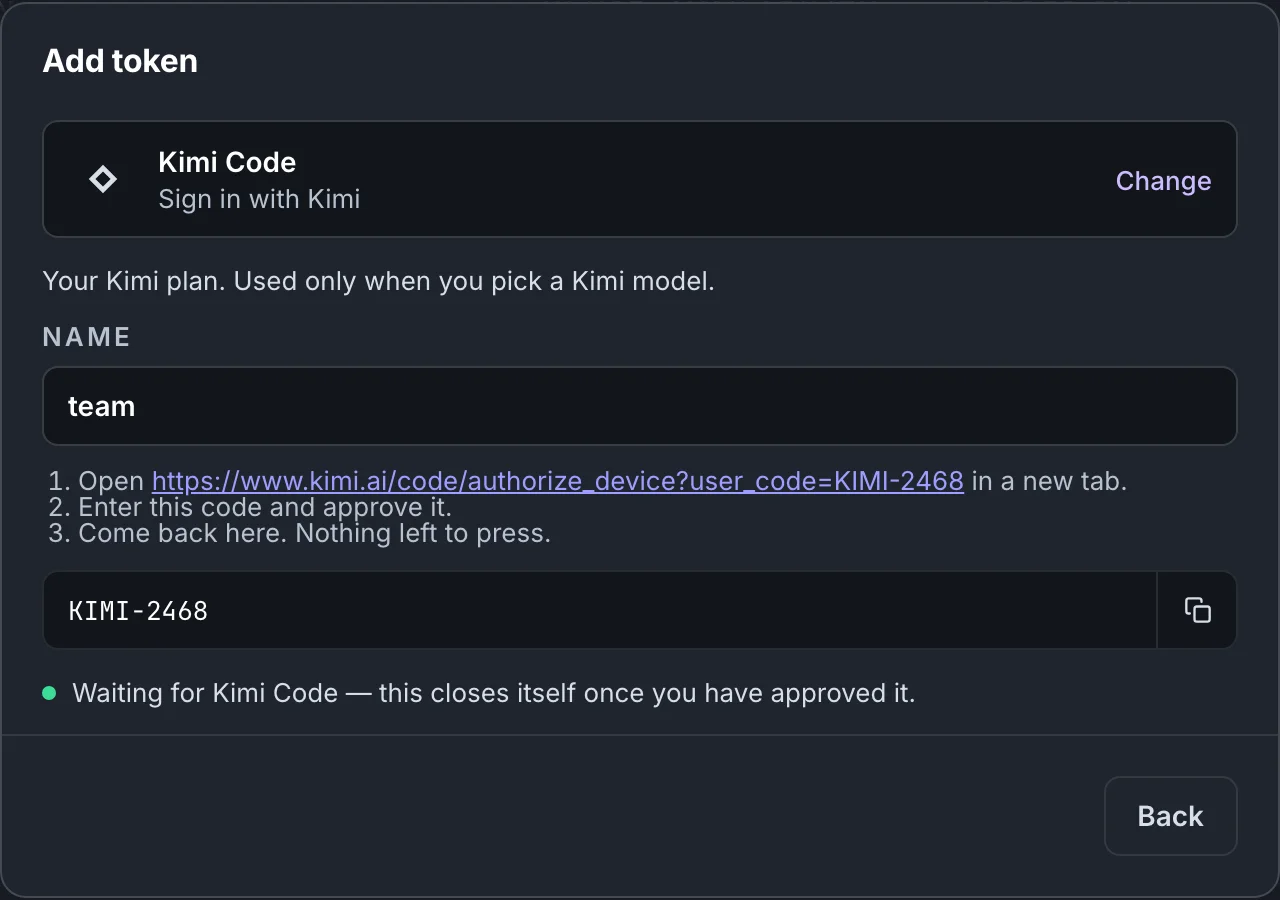
On the Tokens page, choose Add token, then Kimi Code. Name the account and press Get a code. Selan shows a code and a link to Kimi's own page, where you enter the code and approve it. The dialog closes by itself once you have.
Connecting it switches Kimi K3.1 Pro on for your company. To use it, name it when you start Claude Code:
selan claude --model kimi:k3.1-proA Kimi Code membership answers only when a request names one of its models, and never stands in for a Claude request, so sessions that don't ask for Kimi carry on as before. Claude Code can use it; Codex can't.
How Selan rations it
A Kimi Code membership comes with rolling usage windows, a five-hour one among them. Selan reads them from Kimi, and once a membership's window runs out, Selan stops sending it requests until that window resets. With more than one membership connected, Selan spreads the work across them and tries the one with the most room left first. The Tokens page shows how much each one has left.
When it's the wrong account
When you sign in, Selan asks Kimi whether the account has Kimi Code before it saves anything. If the account doesn't, the dialog says so and Selan keeps nothing.
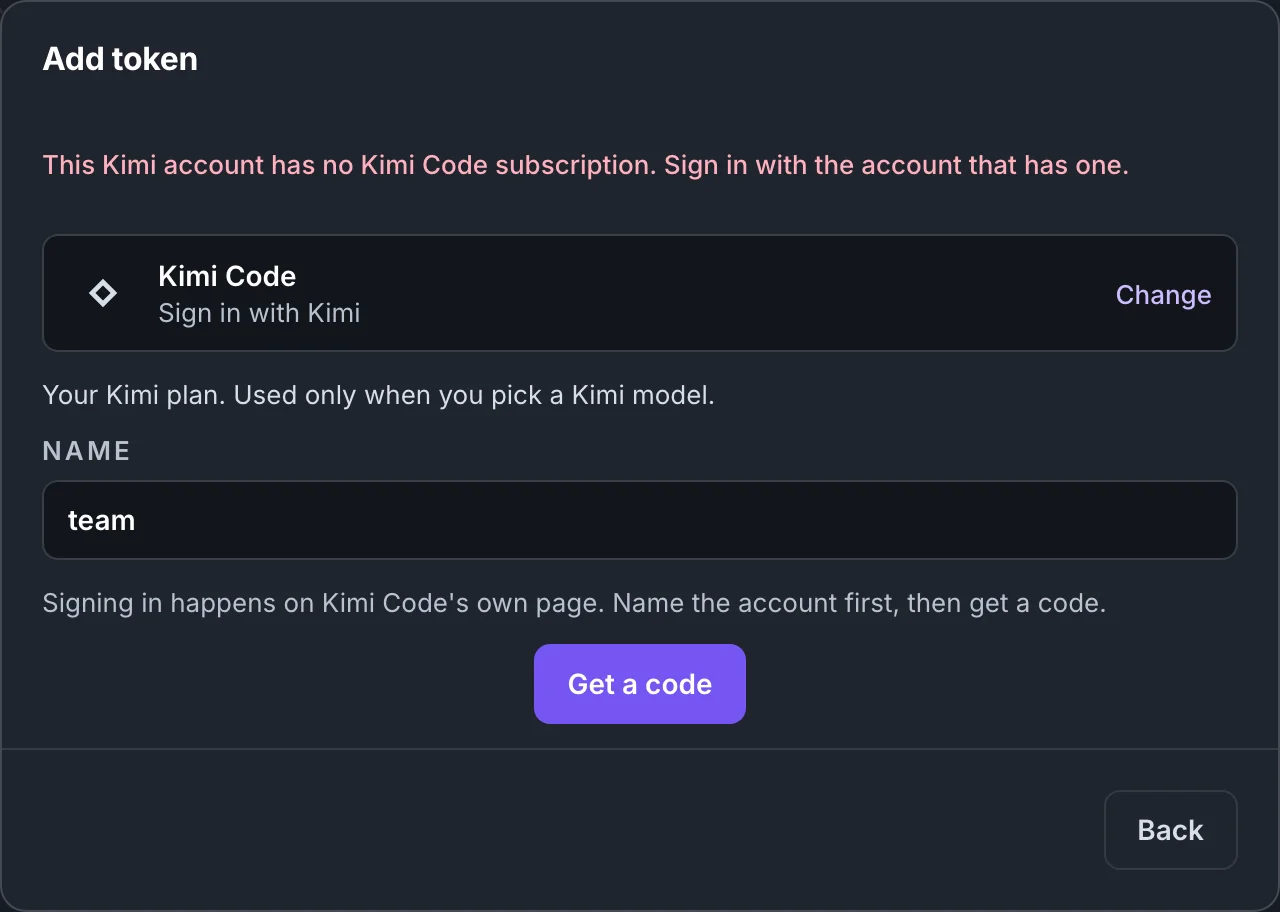
A subscription can also end after you connect it. When Selan's health check finds that, it stops using the account and marks it "no Kimi Code subscription" on the Tokens page. Open the account and press Reconnect to sign in with the one that has the subscription; the same check runs again.
Kimi may refuse a request for this reason before the health check has caught up. Claude Code now shows an error saying the connected account has no Kimi Code subscription, and that an owner can connect the one that has it on the Tokens page. Before, the error told you to reconnect the key.
How Kimi Code fits with the other subscriptions and keys is on Providers and models.