
An agent that signs in with Google needs its own account, not yours. Make that account in your company's Workspace and Google can assign it a paid Workspace licence, even though the agent needs an identity and no mailbox.
Cloud Identity Free gives you identity management without a paid Workspace licence or a Workspace Gmail inbox. To use it on its own, your company adds the free subscription and stops new users in the identities' organisational unit from getting paid licences automatically.
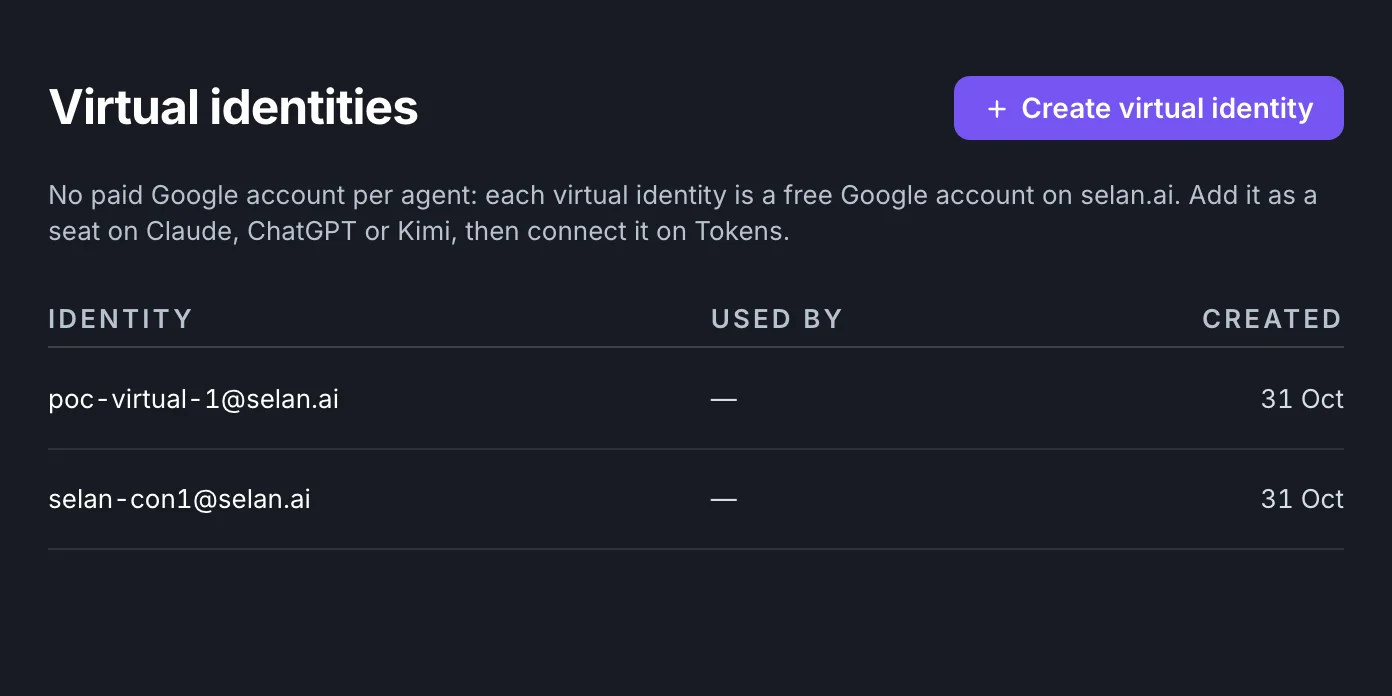
Selan has a Virtual identities page for this. An owner connects the company's own Google Workspace, then creates Google accounts on its domain in /Selan virtual identities. Selan reports an account as created only after checking that it has Cloud Identity Free and no paid Workspace licence.
Set up the Workspace first
Virtual identities comes right after Tokens in Selan control's menu, for owners of every Selan company. Each company connects its own Workspace; Selan does not create these accounts in a shared Selan tenant.
Choose Connect Google Workspace and review Google's consent request as a super administrator of that Workspace. Selan asks to manage directory users, organisational units and licences, and to read your domains. These permissions cover the whole Workspace; Google does not limit them to the identities' unit.
In Google Admin, add Cloud Identity Free under Billing, Buy or upgrade. Then open Billing, License settings, select Selan virtual identities, and turn off automatic licensing for each paid Workspace subscription that would otherwise apply to those accounts. Leave licensing for your other organisational units as you want it.
The setup checklist shows whether Selan can reach Google and whether Cloud Identity Free is on. The automatic-licensing step stays unconfirmed until Selan creates the first identity and checks its licences. If Google gives that account a paid Workspace licence, Selan tries to delete it and tells you what to fix. Set up licensing first instead of counting on that cleanup.
Google sets how many accounts your tenant can have, and its Cloud Identity licensing guide explains how that is worked out and how to ask for more. Selan has no fixed 50-account limit, and the page has no counter of licences left. Turning off automatic licensing does not remove existing paid licences or cancel a subscription.
Create an account, copy the password
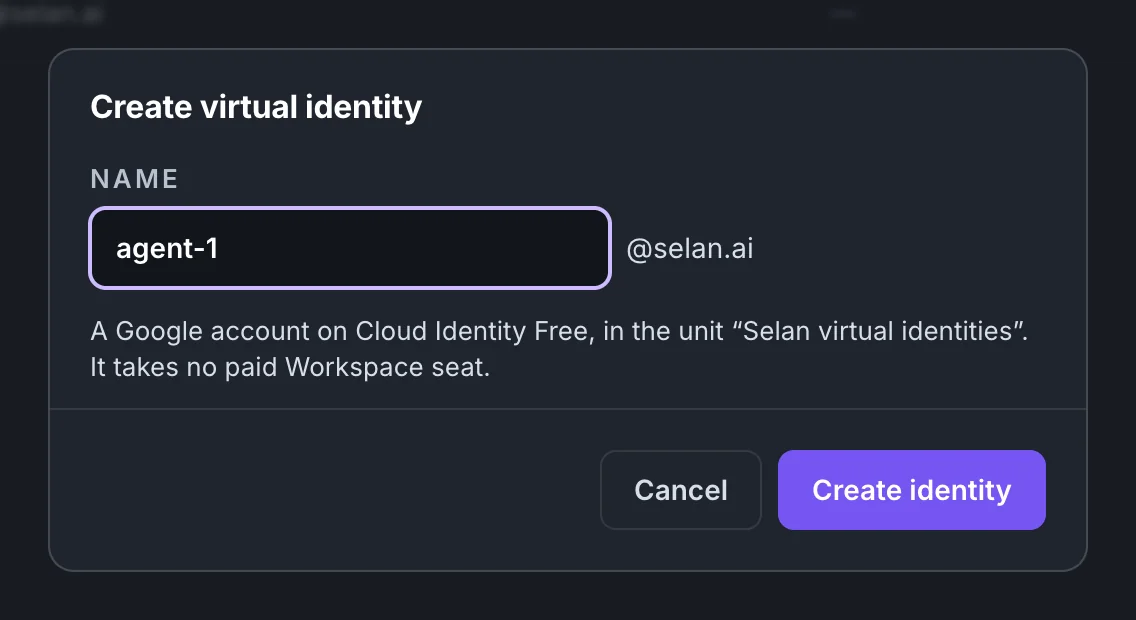
Choose Create virtual identity and enter a name such as agent-1. If your Workspace has several verified domains, pick one in the Domain list; otherwise Selan uses the connected one. Selan then creates the Google account and checks its licences.
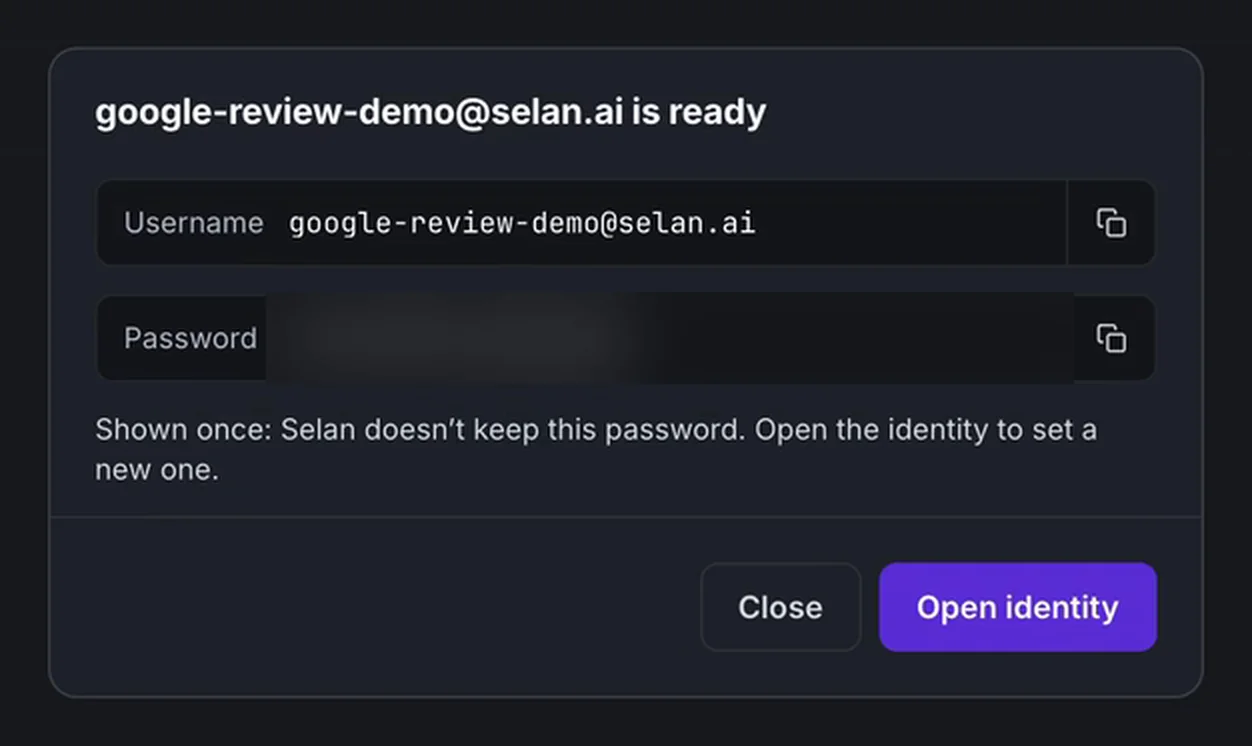
The result shows the username and the generated password, each with a copy button. Selan shows the password this once and does not store it, so copy both before you close the result and keep the password in your company's approved password manager.
In the list, Used by names the connected provider accounts on Tokens, Claude or OpenAI, whose sign-in address matches the identity. Kimi accounts do not show there yet, because Selan has no verified address for them. The list also includes accounts someone put in the unit outside Selan, and listing an account does not certify its current licences.
Open an identity from the list to see its creation details. Show new password sets a new password at Google and shows it once, and the old password stops working. Delete identity deletes the Google account itself, so review anything that depends on it before you confirm.
Owners can also use it from an AI assistant
Through Selan's MCP server, an owner's assistant can check status and list, open, create, reset and delete identities with selan_virtual_identity_status, selan_virtual_identities_list, selan_virtual_identity_detail, selan_virtual_identity_create, selan_virtual_identity_reset_password and selan_virtual_identity_delete. Only a signed-in company owner can use them. Connecting Google still happens on Control. A password appears once, in the create or reset result, and delete is permanent.
The Google identity and the provider account are separate
A Cloud Identity Free account comes with no subscription or seat at an AI provider, and no permission to use an agent there. Check the provider's terms and your company's policies before you set one up: a provider accepting Google sign-in does not show that it allows the use you have in mind.
You complete the provider's sign-in yourself. Where Selan supports connecting that provider's credential, use the existing Tokens flow. Virtual identities manages the Google account. Apart from the Used by column it does not track provider connections, and it does not assign the account to an agent or team. Deleting the Google account does not cancel a provider subscription or remove a seat held elsewhere.
Google is reviewing the Workspace app
On 1 November 2026, the day after this post first went out, Selan submitted its Google Workspace app for Google verification. Google has verified the app's branding, and its data access is under Google review. Until Google approves it, an administrator may still see an unverified-app warning, and Google's limits or your company's app-access policy may block consent. Having the page in your menu does not mean every company can connect.
If you connected before Selan asked to read domains, Create offers only the connected domain until you choose Approve domain access and consent again. If consent is blocked, ask your Workspace administrator and contact Selan; do not weaken your company's security policy to get past it.
The Virtual identities guide has the full setup, password and deletion steps, the access Selan keeps, and how to revoke it. Ordinary members need neither this feature nor a different way to sign in to Selan.