
You know what you want Claude Code to do, but it takes a paragraph to explain: the bug, where it shows up, what you have already tried. Typing all of that is slow, so the prompt ends up shorter than what you had in mind, and Claude Code guesses at the rest.
Saying it out loud is quicker. Claude Code has its own voice mode, but it only works when you are signed in with a Claude.ai account, so a session that runs on your company's keys through selan claude doesn't have it.
Now selan claude has dictation of its own.
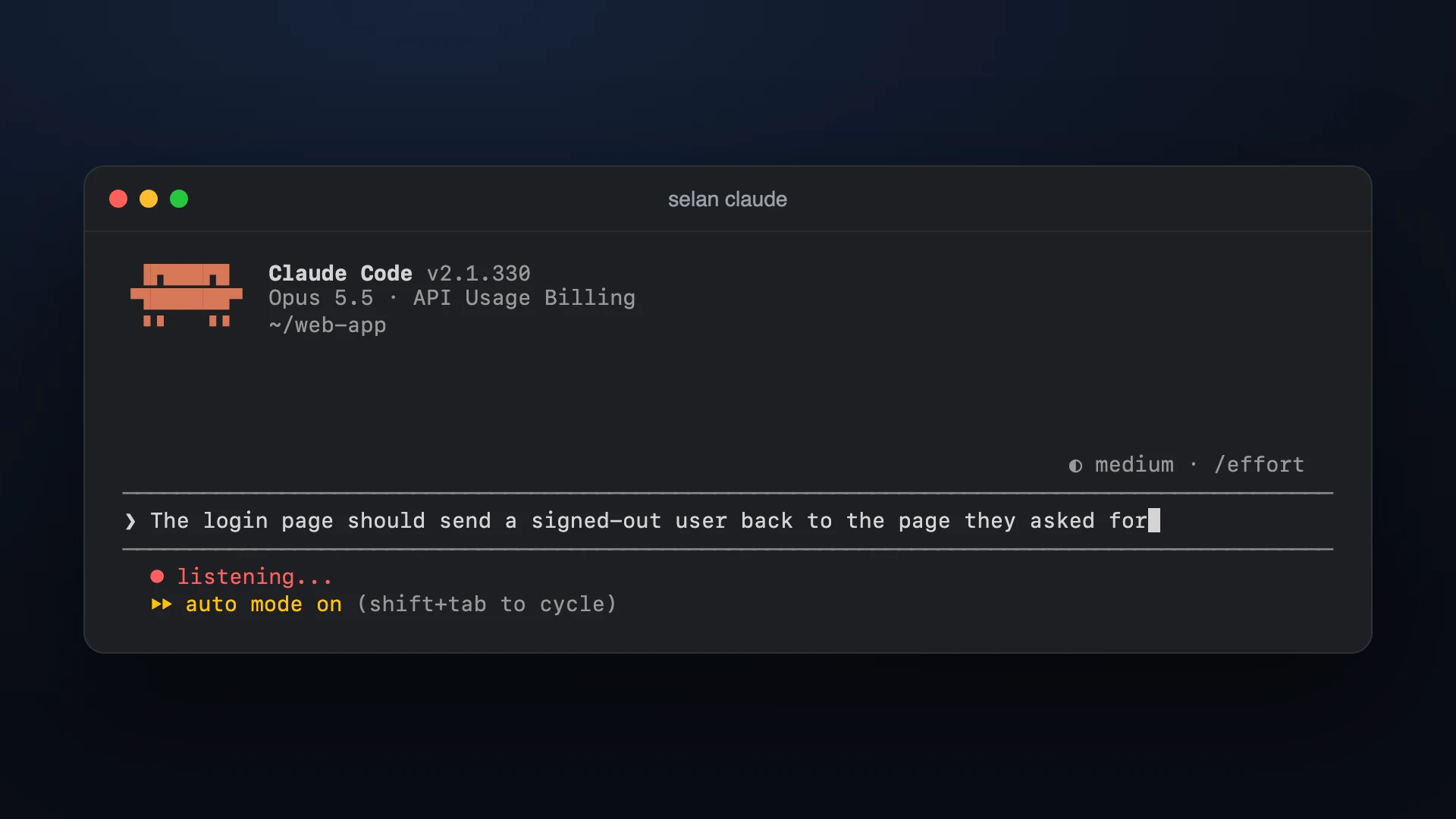
Hold space, speak, let go
In selan claude, hold down the space bar. After a moment Selan starts listening, and the statusline shows ● listening with dots that keep moving while the microphone is on. Your words appear in the prompt as you speak, and Selan corrects them as it hears more. When you let go, the last words land. You can edit the prompt like any other and press Enter when it is ready.
To throw away what you just said, press Esc or Ctrl-C while you are still holding space, and Selan deletes everything that hold typed.
Tapping space still types a space. Only a held key starts listening, and Selan takes back the few spaces it typed on the way.
Set it up
Update to selan 1.33 or later:
selan updateDictation is on by default for every company that pays through credits, unless it runs its own proxy. An owner can turn it off under Settings, Dictation. Under Settings, everyone also picks the language they speak in, Preferred language for voice: English, Lithuanian, German, Polish or Spanish.
It works on macOS and Linux. On a Mac, the first hold asks for microphone access for your terminal app. On Linux, install pipewire-utils or alsa-utils so there is something to record with. On Windows, selan claude starts without dictation for now.
Dictation costs €0.31 per hour of speech, paid from your company's credits. If the credits run out, a hold says so in the statusline. To start Claude Code without dictation, set SELAN_NO_VOICE. Dictation in the docs has the details.