
You start a session on your laptop, and an hour in it is clear the work will run long. You would rather it ran on the machine at home or on a server, which stays on when you close the lid.
Until now, moving meant starting over. The new session on the other machine knew nothing about the last hour, and the repository there didn't have the changes you hadn't committed yet.
Now selan teleport moves the session itself.
What moves
The conversation moves whole. Its transcript goes into the other machine's Claude Code directory, for the same folder under that machine's home, so the session picks up where it stopped, with everything it has read and done so far.
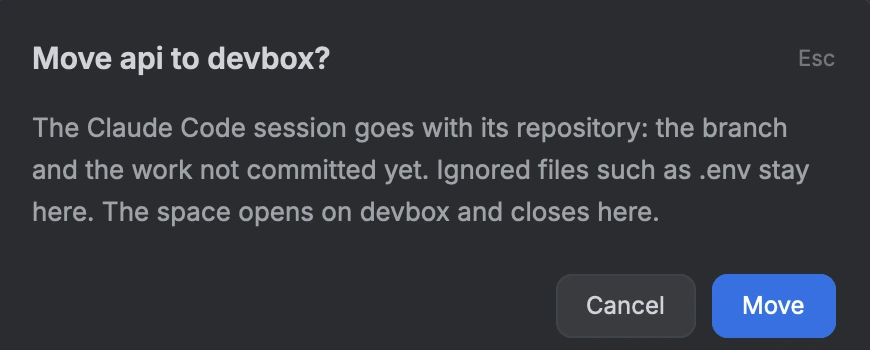
The repository goes with it, by git push over ssh. On the other machine the same branch is checked out at the same commit, and the changes you hadn't committed are put back on top, still uncommitted. If that machine doesn't have the repository yet, it gets one.
Two things stay behind. Ignored files such as .env don't travel. And if the copy on the other machine has changes of its own, teleport refuses rather than mix them with yours.
A session Claude Code is still working in is never moved. Wait until it finishes, then move it.
In the terminal
Quit Claude Code, and in the same folder run:
selan teleport devboxdevbox is anything ssh reaches by name: a host in ~/.ssh/config, or user@host. The session picks up on that machine in the same terminal. If you started it with seland, it keeps its permission prompts off there too, after you confirm once.
In Herdr
In Herdr with the Selan layout, drag the chat in the sidebar onto another machine. The machine lights up while you hold it there. Let go and confirm, and the chat opens on that machine as a new space, picking up the conversation, and closes here.
Dragging needs the teleport mod. Ask the agent in your Herdr window to add github.com/selan-ai/herdr-teleport.
Set it up
Update selan to 1.36 or later on both machines and sign in on each:
selan update
selan login
The other machine needs Claude Code and must run macOS or Linux. Teleport in the docs has the details.